当サイトでは、より使いやすいウェブサイトの実現を目的に、クッキー(Cookie)を使用しています。
Cookie についての詳細確認や設定変更は、ブラウザにて行うことができます。
お客様は、設定を変更せずにサイトを閲覧することで、Cookie の使用について同意したこととなります。
詳しくは、サトーのご利用規約をご確認ください。
Accept and Continue

インドネシア

日本語
モバイルデバイスからいつでもどこでも
スマートフォンやハンディターミナルなどのモバイルデバイスから、時や場所を選ばずラベルプリンターに印字ジョブを送信できます。
また、専門知識がなくてもPCで簡単にラベルをデザインできるアプリケーションを利用できます。
SmaPriは、Driver、Library、Designerの3つのモジュールで提供しています。使用しているデバイスのOSや業務アプリケーションのタイプ(Webまたはネイティブ)などの開発ニーズに合わせてお選びいただけます。

1. SmaPri Driver
プリンターとの通信機能やラベル印字機能を提供する、Android OS/iOS/Windows上で動作するミドルウェアです。上位アプリとSmaPri Driverとの連携にはWeb APIを使用します。ネイティブプログラムだけでなくWebアプリからも印字が可能です。
2. SmaPri Library (SDK)
ネイティブプログラムへの組み込みが必須で、SmaPri Driverでは対応できない場合に使用する開発ライブラリー(SDK)です。
Android/iOSに対応しています。SDKを通じて、プリンターとの通信機能やラベル印字機能を提供します。

SmaPri Driverには、プリンターの状態を確認しながら必要に応じて印字データを送信する機能があり、プログラムの開発スピードを向上させます。

3. SmaPri Designer
Windows上で動作するラベルレイアウトデザインツールです。プリンターコマンドの知識がなくても、画面上で直感的に文字列、バーコード、画像等を配置してラベルレイアウトをすぐに作成できます。
SmaPri Designerラベルレイアウトデザイン画面
文字やバーコード、画像データから、シリアル番号、価格まで、さまざまなオブジェクトに対応しています。オブジェクトを選択してテンプレートに配置するだけで、ラベルを簡単にデザインできます。


array (
)
array (
0 =>
\WP_Term::__set_state(array(
'term_id' => 13711,
'name' => 'ソフトウェアとユーティリティ',
'slug' => '%e3%82%bd%e3%83%95%e3%83%88%e3%82%a6%e3%82%a7%e3%82%a2%e3%81%a8%e3%83%a6%e3%83%bc%e3%83%86%e3%82%a3%e3%83%aa%e3%83%86%e3%82%a3',
'term_group' => 0,
'term_taxonomy_id' => 13711,
'taxonomy' => 'product_category',
'description' => 'ハードウェアのサポートや導入、アプリケーションソフトウェアの開発、ERP、WMS、その他ITシステムとの統合など、お客さまのニーズを満たすための包括的なソフトウェアソリューションを提供しています。
',
'parent' => 0,
'count' => 18,
'filter' => 'raw',
)),
1 =>
\WP_Term::__set_state(array(
'term_id' => 26055,
'name' => '開発支援ツール',
'slug' => '%e9%96%8b%e7%99%ba%e6%94%af%e6%8f%b4%e3%83%84%e3%83%bc%e3%83%ab',
'term_group' => 0,
'term_taxonomy_id' => 26055,
'taxonomy' => 'product_category',
'description' => '',
'parent' => 0,
'count' => 3,
'filter' => 'raw',
)),
)
array (
141 =>
\WP_Term::__set_state(array(
'term_id' => 141,
'name' => 'Products & Solutions',
'slug' => 'products-solutions',
'term_group' => 0,
'term_taxonomy_id' => 141,
'taxonomy' => 'resource_category',
'description' => '',
'parent' => 0,
'count' => 209,
'filter' => 'raw',
)),
)
array (
141 =>
\WP_Term::__set_state(array(
'term_id' => 141,
'name' => 'Products & Solutions',
'slug' => 'products-solutions',
'term_group' => 0,
'term_taxonomy_id' => 141,
'taxonomy' => 'resource_category',
'description' => '',
'parent' => 0,
'count' => 209,
'filter' => 'raw',
)),
7784 =>
\WP_Term::__set_state(array(
'term_id' => 7784,
'name' => 'Produk & Solusi',
'slug' => 'products-solutions-id',
'term_group' => 0,
'term_taxonomy_id' => 7784,
'taxonomy' => 'resource_category',
'description' => '',
'parent' => 0,
'count' => 163,
'filter' => 'raw',
)),
)
array (
141 =>
\WP_Term::__set_state(array(
'term_id' => 141,
'name' => 'Products & Solutions',
'slug' => 'products-solutions',
'term_group' => 0,
'term_taxonomy_id' => 141,
'taxonomy' => 'resource_category',
'description' => '',
'parent' => 0,
'count' => 209,
'filter' => 'raw',
)),
7784 =>
\WP_Term::__set_state(array(
'term_id' => 7784,
'name' => 'Produk & Solusi',
'slug' => 'products-solutions-id',
'term_group' => 0,
'term_taxonomy_id' => 7784,
'taxonomy' => 'resource_category',
'description' => '',
'parent' => 0,
'count' => 163,
'filter' => 'raw',
)),
8905 =>
\WP_Term::__set_state(array(
'term_id' => 8905,
'name' => '製品&ソリューション',
'slug' => 'products-solutions-ja',
'term_group' => 0,
'term_taxonomy_id' => 8905,
'taxonomy' => 'resource_category',
'description' => '',
'parent' => 0,
'count' => 169,
'filter' => 'raw',
)),
)
array (
147 =>
array (
'category' =>
\WP_Term::__set_state(array(
'term_id' => 147,
'name' => 'Quick Guides',
'slug' => 'quick-guides',
'term_group' => 0,
'term_taxonomy_id' => 147,
'taxonomy' => 'resource_category',
'description' => '',
'parent' => 141,
'count' => 28,
'filter' => 'raw',
)),
'resources' =>
array (
0 =>
(object) array(
'ID' => '5572',
'post_author' => '1',
'post_date' => '2019-07-22 01:32:26',
'post_date_gmt' => '2019-07-22 01:32:26',
'post_content' => '',
'post_title' => 'Installation Guide (Android)',
'post_excerpt' => '',
'post_status' => 'publish',
'comment_status' => 'closed',
'ping_status' => 'closed',
'post_password' => '',
'post_name' => 'installation-guide-android',
'to_ping' => '',
'pinged' => '',
'post_modified' => '2021-01-07 10:28:48',
'post_modified_gmt' => '2021-01-07 10:28:48',
'post_content_filtered' => '',
'post_parent' => '0',
'guid' => 'https://satoasiapacific.com/indonesia/resource/installation-guide-android/',
'menu_order' => '0',
'post_type' => 'resource',
'post_mime_type' => '',
'comment_count' => '0',
),
),
),
7813 =>
array (
'category' =>
\WP_Term::__set_state(array(
'term_id' => 7813,
'name' => 'Panduan Cepat',
'slug' => 'quick-guides-id',
'term_group' => 0,
'term_taxonomy_id' => 7813,
'taxonomy' => 'resource_category',
'description' => '',
'parent' => 7784,
'count' => 28,
'filter' => 'raw',
)),
'resources' =>
array (
0 =>
(object) array(
'ID' => '7116',
'post_author' => '1',
'post_date' => '2020-08-21 01:11:43',
'post_date_gmt' => '2020-08-21 01:11:43',
'post_content' => '',
'post_title' => 'Installation Guide (Android)',
'post_excerpt' => '',
'post_status' => 'publish',
'comment_status' => 'closed',
'ping_status' => 'closed',
'post_password' => '',
'post_name' => 'installation-guide-android-5',
'to_ping' => '',
'pinged' => '',
'post_modified' => '2020-08-21 01:11:43',
'post_modified_gmt' => '2020-08-21 01:11:43',
'post_content_filtered' => '',
'post_parent' => '0',
'guid' => 'https://satoasiapacific.com/indonesia/resource/installation-guide-android-5/',
'menu_order' => '0',
'post_type' => 'resource',
'post_mime_type' => '',
'comment_count' => '0',
),
),
),
8931 =>
array (
'category' =>
\WP_Term::__set_state(array(
'term_id' => 8931,
'name' => 'クイック操作ガイド',
'slug' => 'quick-guides-ja',
'term_group' => 0,
'term_taxonomy_id' => 8931,
'taxonomy' => 'resource_category',
'description' => '',
'parent' => 8905,
'count' => 29,
'filter' => 'raw',
)),
'resources' =>
array (
0 =>
(object) array(
'ID' => '7117',
'post_author' => '1',
'post_date' => '2020-08-21 01:12:40',
'post_date_gmt' => '2020-08-21 01:12:40',
'post_content' => '',
'post_title' => 'Installation Guide (Android)',
'post_excerpt' => '',
'post_status' => 'publish',
'comment_status' => 'closed',
'ping_status' => 'closed',
'post_password' => '',
'post_name' => 'installation-guide-android-7',
'to_ping' => '',
'pinged' => '',
'post_modified' => '2020-08-21 01:12:40',
'post_modified_gmt' => '2020-08-21 01:12:40',
'post_content_filtered' => '',
'post_parent' => '0',
'guid' => 'https://satoasiapacific.com/indonesia/resource/installation-guide-android-7/',
'menu_order' => '0',
'post_type' => 'resource',
'post_mime_type' => '',
'comment_count' => '0',
),
),
),
)
おすすめ商品

M84Pro
特長
安定した内部設計による高耐久性の産業向け構造、幅広い解像度と高速印字、厚みある素材のラベル切断が可能なオプションのロータリーカッタ。
用途
PCB・部品ラベル、出荷ラベル、部品・製品ラベル
続きを読む
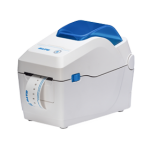
WS2
特長
抗菌仕様のケース、コンパクト・軽量、簡単なメディアセット、簡単操作。
用途
リストバンド、検体ラベル
続きを読む

WS4
特長
3色のステータスLED、簡単メンテナンス、ファームウェアの簡単ダウンロード、ラベルとリボンの柔軟なサポート、300mのリボン長、高い接続性。
用途
部品・製品ラベル、リストバンド、検体ラベル、出荷ラベル
続きを読む
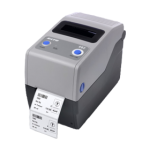
CG2
特長
簡易入力装置を使用したスタンドアロン機能、柔軟な使用、高品質の印字、ユーザーフレンドリーな操作性、簡単メンテナンス、安心・安全な使用、高い互換性。
用途
リストバンド、検体ラベル、製品ラベル
続きを読む

CG4
特長
簡易入力装置を使用したスタンドアロン機能、柔軟な使用・旧来システムとの互換性、 高品質の印字、ユーザーフレンドリーな操作性、簡単メンテナンス、高い互換性。
用途
部品・製品ラベル、リストバンド、検体ラベル、出荷ラベル
続きを読む


 SmaPri Libraryに関する詳細は、お近くのサトーの担当者までお問い合わせください。